
Technology
What is a property management system (PMS) for hotels?
Aug 4, 2026 · 6 min read

If you run a hotel, a set of rentals or a hostel, you already have a property management system. It might be a spreadsheet, a paper diary, a whiteboard and a very good memory. A property management system, usually shortened to PMS, is simply the software version of that: the single place where every reservation, room, rate, guest and charge is recorded, so the whole team works from the same facts. This article explains in plain terms what a PMS handles, how it connects to the rest of your tools, the difference between cloud and on-premise, and the questions worth asking before you choose one.
What a property management system actually is
Think of the PMS as the system of record for your property. Everything that happens to a room or a guest passes through it: a booking is created, a rate is set, a guest checks in, a room is cleaned, a charge is posted, an invoice is issued, a guest checks out. Other tools, like your channel manager, your payment provider or your accounting software, either feed information into the PMS or read information from it.
The value is not any single feature. It is that there is one calendar, one guest list and one set of numbers, and everyone looks at the same one.
What a PMS handles day to day
The exact list varies by product, but a modern PMS usually covers the following.
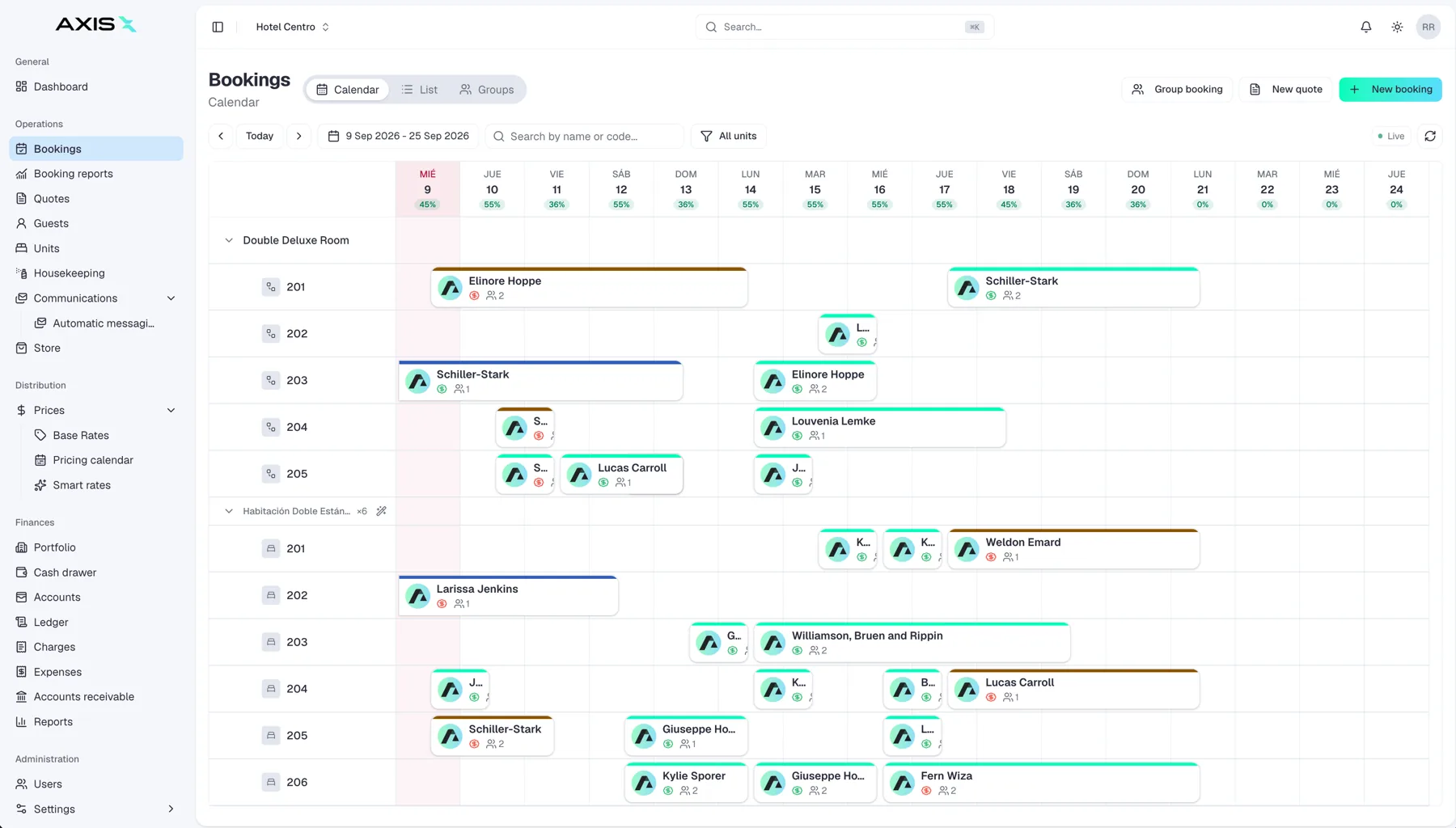
Reservations and the calendar
Creating, changing and cancelling bookings, and showing them on a calendar by room or unit. This is where availability lives, and it is the first thing a front desk person opens in the morning.
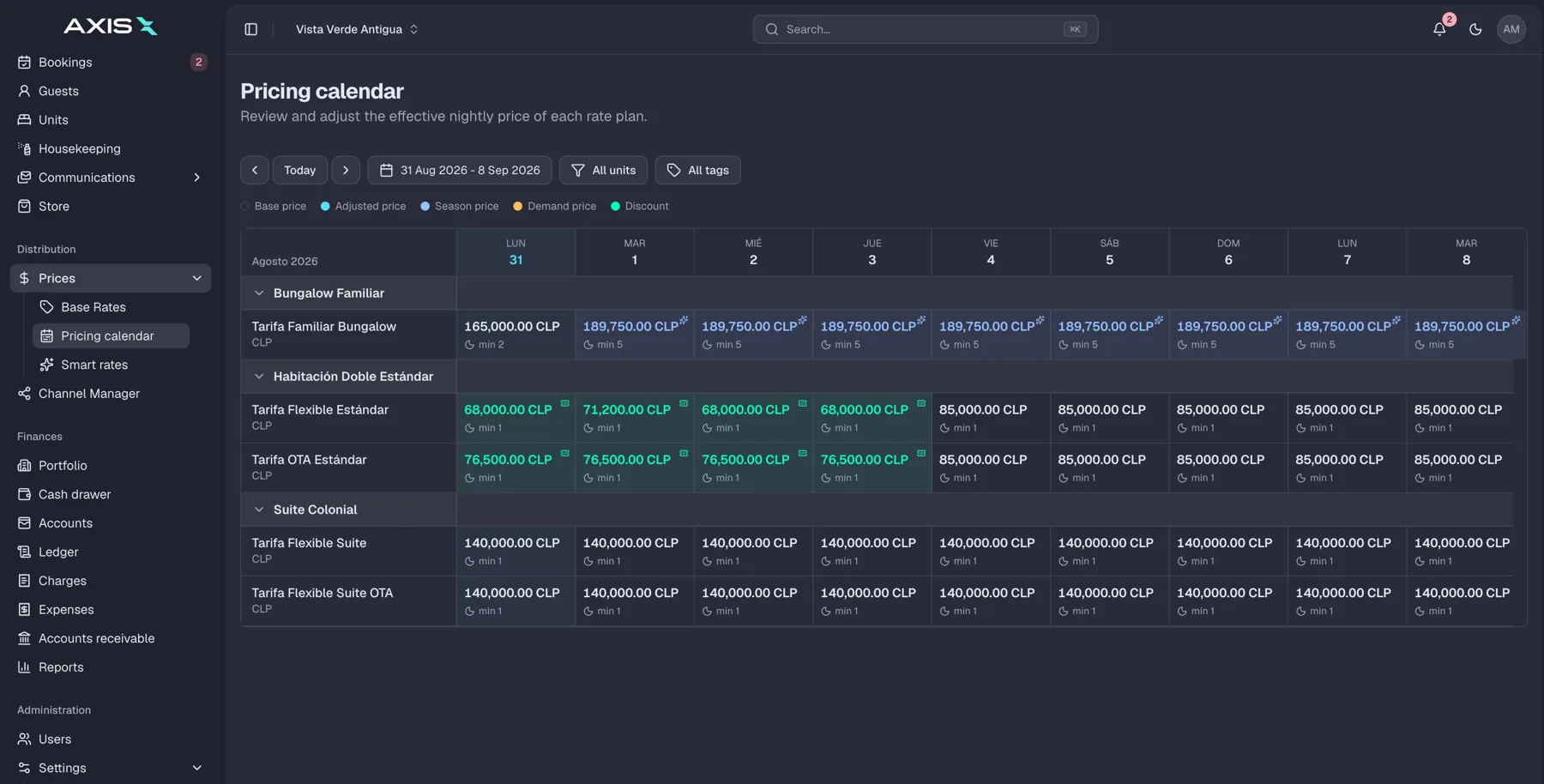
Rates and availability
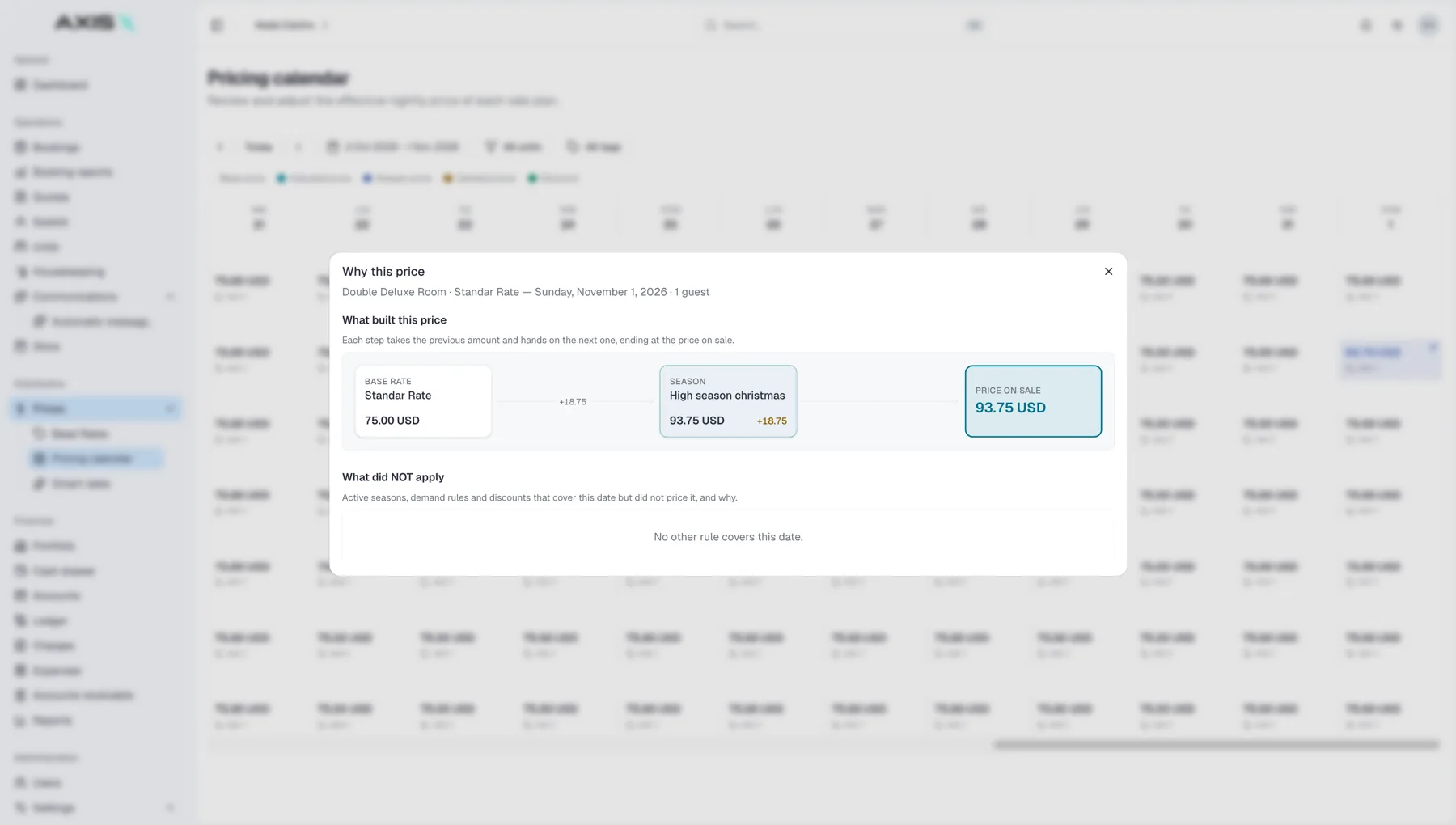
Room types, rate plans, seasonal pricing, restrictions like minimum stays, and which dates are open or closed for sale. When rates and availability change here, connected channels should follow.
Guest profiles
One record per guest with contact details, stay history, preferences and notes. This is what lets a returning guest be recognised, and what makes pre-arrival messages feel personal.
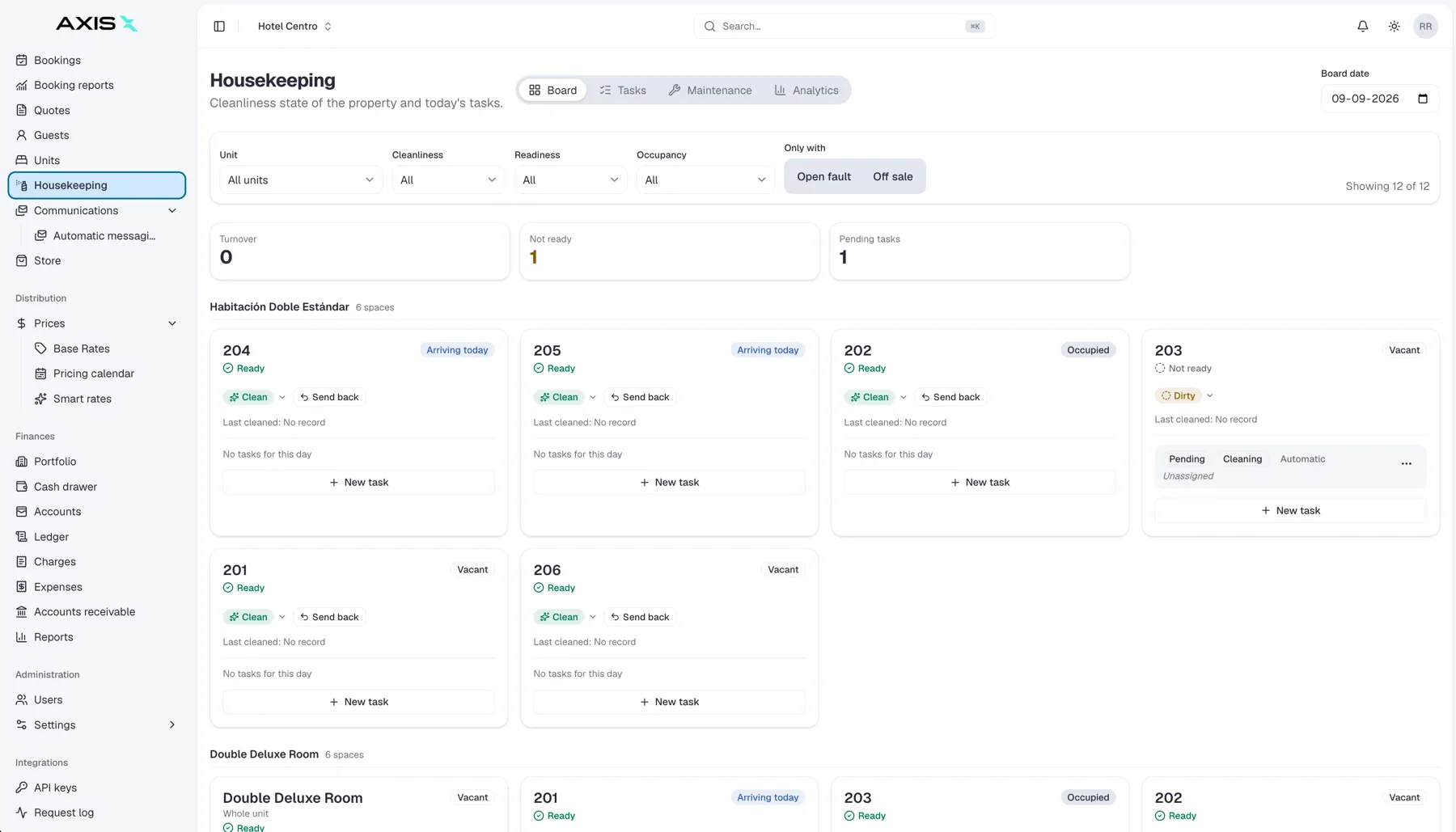
Housekeeping
Room status (clean, dirty, inspected, out of order), daily task lists, and the handover between housekeeping and the front desk so a room is never assigned before it is ready.
Billing and invoicing
Guest folios, extra charges like breakfast or parking, deposits, taxes, invoices and receipts. This is where the money side of the stay is recorded, and where mistakes are most expensive.
Many systems also include check-in and check-out workflows, group bookings, basic messaging and staff permissions.
How a PMS connects to channels, payments and reporting
A PMS on its own is a well-organised notebook. Its real power comes from what it connects to.
- Channels. A channel manager, built in or connected, pushes availability and rates from the PMS to Booking.com, Airbnb, Expedia and your own website, and pulls new bookings back in. Done well, this is what prevents double bookings.
- Payments. A payment connection lets you charge cards, take deposits, pre-authorise for incidentals and refund guests from inside the reservation, with the amounts recorded automatically on the folio.
- Reporting. Because every booking and charge passes through the PMS, it can produce occupancy, average rate, revenue per room, channel mix and pickup reports without anyone building a spreadsheet.
- Other tools. Door locks, accounting, revenue management, guest messaging and point of sale often plug in too.
The more of these that live inside one central system rather than as separate products stitched together, the fewer places data can fall out of sync. Axis Pro, for example, treats the PMS, channel manager and payments as parts of one product rather than three connected ones.
Cloud versus on-premise
Older property management systems were installed on a server in the back office. Most modern ones run in the cloud and open in a browser.
On-premise systems keep data on site and can work without an internet connection, but they need someone to maintain the server, apply updates and manage backups, and they are hard to use from outside the building.
Cloud systems are accessed from any device with a login, updated by the vendor, backed up automatically, and usually paid monthly. They depend on a working internet connection, so a good mobile data fallback matters.
For most independent properties today, cloud is the practical default. The questions to ask are about reliability, data ownership and what happens if you leave, not about where the server sits.
Questions to ask before choosing a PMS
Demos tend to show the best-case flow. These questions get at what daily use will feel like.
- Does the calendar handle my kind of inventory: rooms, apartments, beds in a dorm, parking spaces, meeting rooms?
- Is the channel connection real-time and two-way, and which channels are supported directly?
- Are payments built in or connected, and what are the total fees?
- Can housekeeping and the front desk use it on a phone?
- What reports come out of the box, and can I export the data?
- How are guest profiles matched across channels?
- What does onboarding involve, and who migrates my existing bookings?
- What happens to my data if I cancel?
- What does support look like at 11 pm on a Saturday?
- What is the full monthly cost, including add-ons, at my size?
Ask to see the system do your three most common tasks, live, with your own room types. That single request reveals more than any feature list.
Frequently asked questions
Is a PMS the same as a channel manager?
No. A channel manager distributes your availability and rates to booking sites and collects reservations from them. A PMS is the system where those reservations, guests and charges are managed. Many modern products combine the two in one system, which is often the simplest option for small properties.
Does a small property really need a PMS?
Once you have more than a few units, more than one sales channel, or more than one person handling bookings, the answer is usually yes. The point at which a spreadsheet stops working is typically the first double booking or the first month-end that takes a whole day.
How long does it take to switch systems?
For a small property, moving to a cloud PMS typically takes a few weeks: setting up rooms and rates, connecting channels, migrating upcoming bookings and training the team. The biggest time saver is choosing a launch date in a quiet period and doing a full test booking on every channel before it.


 Direct
 Booking.com
 Airbnb
 Expedia