

Help center
Guides and answers for every module of the AI central system.
About Axis Pro
What is Axis Pro?
Axis Pro is the AI central system for hospitality. Your reservations, booking channels, payments, your AI Co-Manager and every space you sell run in one place, so you stop juggling separate tools.
Who is Axis Pro for?
Anyone who rents rooms, homes, beds or spaces. Hotels, vacation rentals, hostels, aparthotels, bed and breakfasts, resorts, serviced apartments, glamping sites and corporate housing all run on the same system.
Is Axis Pro right for my property?
If keeping calendars, channels and payments in sync takes up your time, yes. Axis Pro works for a single small property and for groups with many, and it handles hotels and rentals together on one calendar.
Do I need to install anything?
No. Axis Pro runs in your web browser. Open it on your front desk computer, your phone or a tablet and everything is there.
Can I manage more than one property?
Yes. Each property keeps its own calendar, rates and reports, and you see them all under one account.
What languages does Axis Pro speak?
The system works in English, Spanish and Portuguese. Your guests can book and get replies in their own language too.
Getting started
How do I get started?
Three steps. You talk to us, we set everything up for you, and you go live. Book a demo and we take it from there.
How long does setup take?
Most properties are fully live within days, not weeks.
Do I need technical skills or an IT team?
No. Our team imports your data and connects your channels for you. If you can use a phone, you can use Axis Pro.
Who helps me during onboarding?
Real people from our team. Onboarding is included in every plan, so you are never set up alone.
Switching to Axis Pro
Can I switch from another system?
Yes. We migrate your existing reservations, properties and rates during onboarding, so you start with your real data in place.
Will I lose bookings while switching?
No. We bring your existing reservations with you and plan the switch together, so your calendar stays correct from day one.
Does migration cost extra?
No. Onboarding and data migration are included in every plan.
I only use spreadsheets today. Can I still start?
Yes. We can import your data from Excel or CSV files. Many properties start exactly there.
Plans and pricing
How much does Axis Pro cost?
It depends on the size of your operation. Smaller portfolios pay per unit per month, and larger operations with 50 or more units get a flat monthly rate. Contact us and we will prepare a proposal for you.
Do you charge commission on my bookings?
No. You pay your plan and that is it. Bookings from your own website are commission free. Booking sites like Airbnb charge their own commission, and that stays between you and them.
Are there setup fees or hidden fees?
No setup fees and no surprise add-ons. What is in your proposal is what you pay.
Do I get all the features, or do I have to pay for extras?
Every module is included in every plan. You never have to unlock the calendar, the channel manager or the inbox separately.
Am I locked into a contract?
No long term contracts. You can change or cancel your plan any month.
Does the price go down if I have more units?
Yes. The more units you manage, the lower your price per unit.
Can I try Axis Pro before I decide?
The best way to see Axis Pro is a live demo with our team, using examples from your own property. Book one and we will walk you through everything.
Reservations and calendar
How does the calendar work?
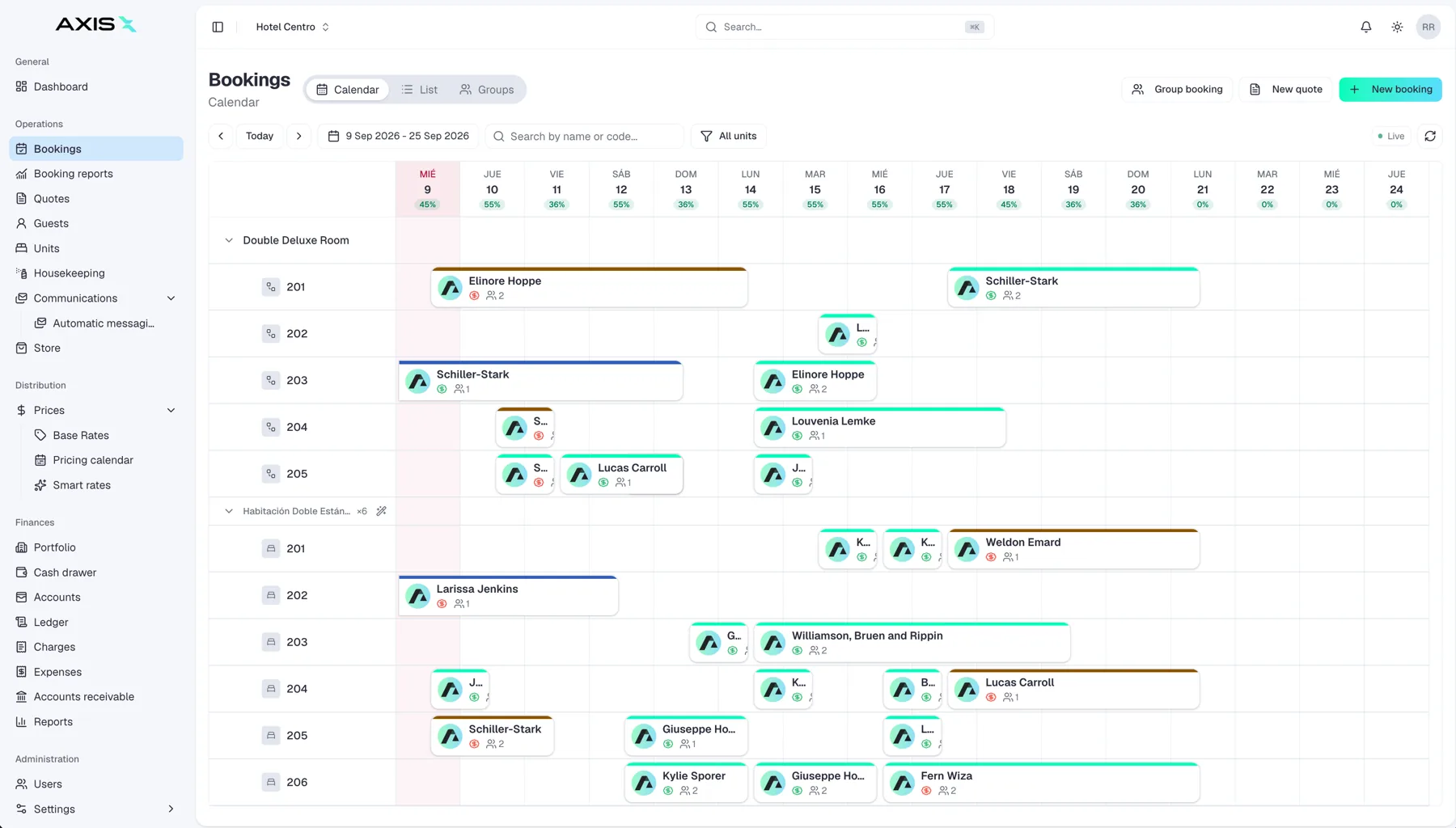
Everything you sell sits on one timeline: rooms, homes, beds and spaces. You see all your availability at a glance and move stays with drag and drop.
Can I manage hotels and rentals together?
Yes. Both live on the same multi calendar, so a mixed portfolio does not need two systems.
Can I take walk-ins and phone bookings?
Yes. Create a reservation directly on the calendar and availability closes across all your channels in seconds.
How do I set my prices?
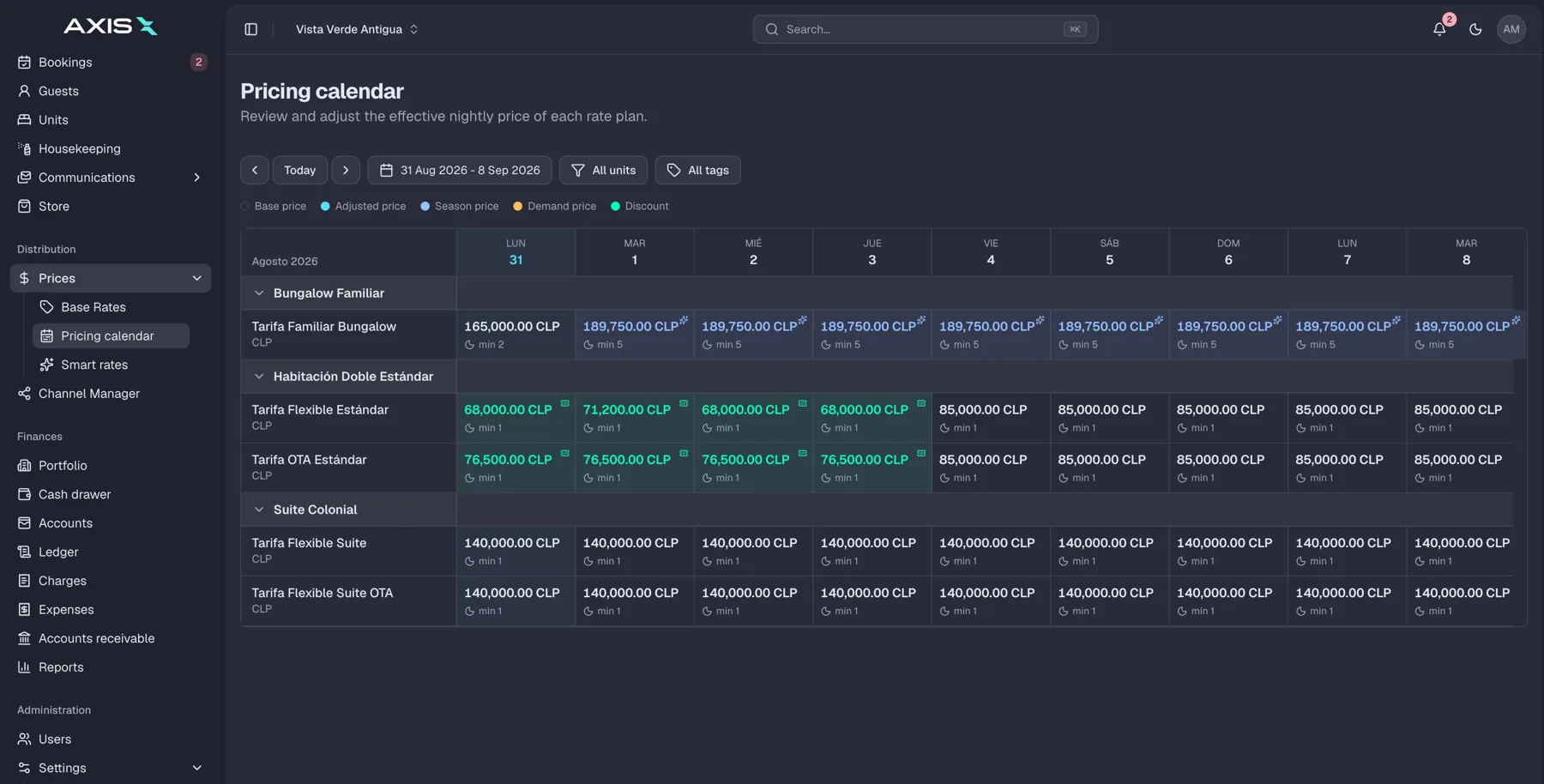
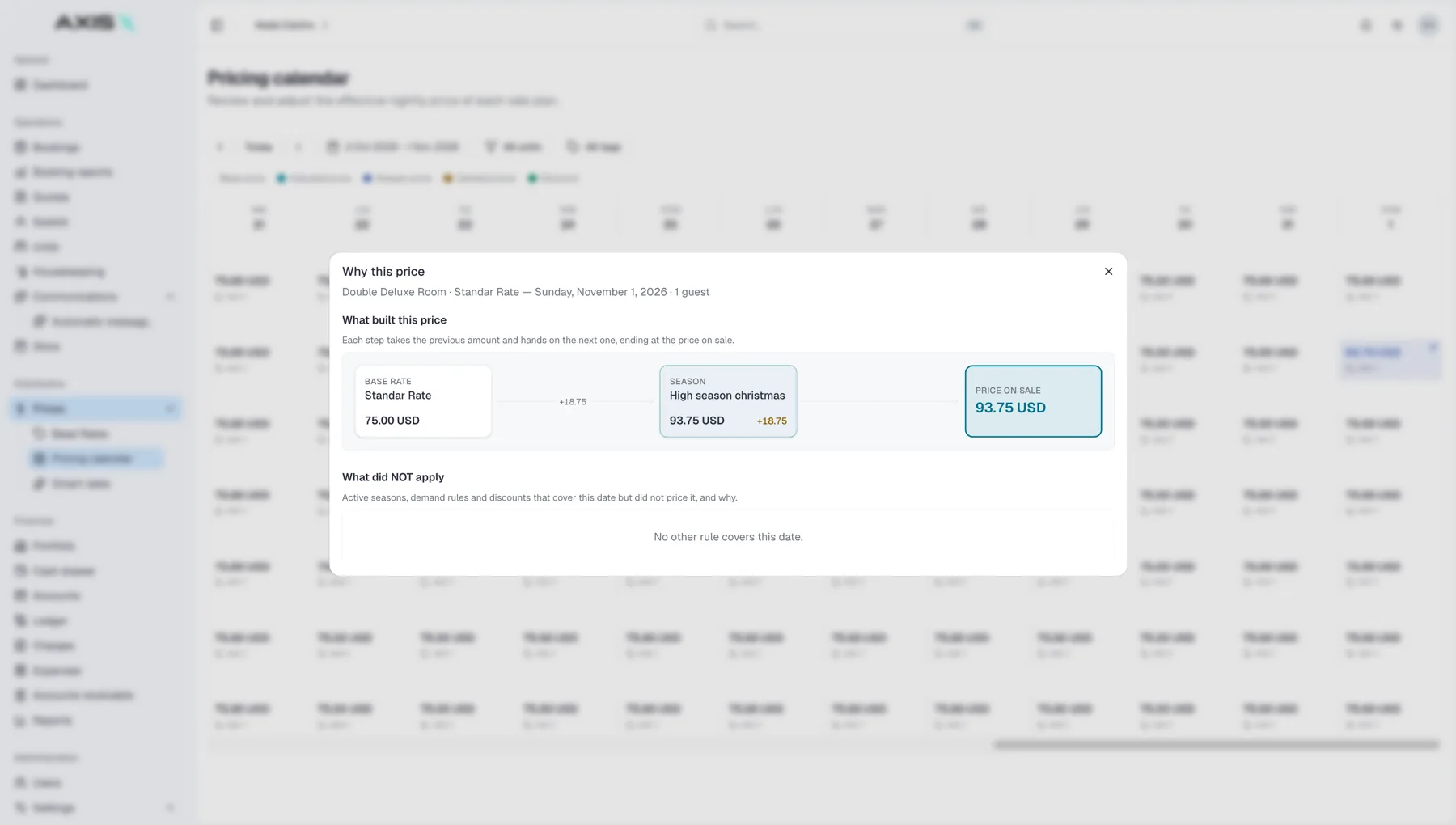
Set your base rates, adjust any date on the price calendar, and let smart rates help you price busy and quiet periods. Every change reaches all your channels automatically.
Can I sell extras like breakfast or late checkout?
Yes. The Store lets you sell add-ons during booking or at any point during the stay, and the charge lands on the reservation.
Booking channels
Which booking sites does Axis Pro connect to?
More than 60 channels, including Airbnb, Booking.com, Expedia, Vrbo, Google Hotels and Agoda. If you sell there today, you can keep selling there.
How fast do my calendars sync?
In real time. When a booking comes in, availability closes across all your channels in seconds, not minutes.
How does Axis Pro prevent double bookings?
There is only one calendar. Every channel sells from it, and every booking closes it everywhere at once. Once your channels are connected, double bookings simply stop.
Who connects my channels and maps my rooms?
We do. Axis Pro handles the initial room mapping for you and keeps it maintained, so you never fight with channel settings.
What happens if a channel connection fails?
Axis Pro retries automatically and alerts you if something needs attention. You can also see the live status of every connection and a full log of every update sent.
Do bookings from Airbnb and Booking.com appear automatically?
Yes. Reservations flow straight into your calendar with the guest details attached. Nothing to copy over by hand.
Direct bookings
Can guests book directly on my website?
Yes. Add the Axis Pro booking widget to your site and guests book from the same live calendar and rates as everywhere else, commission free, in their own language and currency.
I already have a website. Can I keep it?
Yes. The booking widget goes on the website you already have. No rebuild needed.
Do I still need Airbnb and Booking.com if guests can book with me directly?
Most properties use both. The big sites bring you reach, and direct bookings cost you nothing in commission. Axis Pro keeps them all in sync so you get the best of both.
Payments
How do guest payments work?
Deposits are collected automatically when a booking is confirmed. The balance is charged on a date you choose, before arrival or at check-in. You set the rules once and Axis Pro follows them.
What happens when a guest's card fails?
Axis Pro retries automatically and only asks for your attention when it is really needed.
How do I keep track of payouts from booking sites?
Channel payouts are matched to their reservations automatically, so you always know what was paid, by whom, for which stay.
Can Axis Pro create invoices?
Yes. Invoices are generated from reservations and can be exported for your accounting software.
Is my payment information safe?
Yes. Everything is encrypted in transit and at rest, and nothing sensitive is ever stored in plain text.
Reports and accounting
What reports do I get?
Occupancy, revenue and payouts, live. You also get owner-ready reports per property, so sharing results takes minutes, not evenings.
Can my accountant work with Axis Pro?
Yes. Daily cash and movements are tracked in the system, and clean one-click exports go straight to your accounting software.
Guest messaging
Where do guest messages arrive?
In one inbox. Messages from Booking.com, Expedia, Airbnb, WhatsApp and SMS land together, attached to the guest's reservation, so you always have the context in front of you.
Can messages be sent automatically?
Yes. Booking confirmations, pre-arrival messages and reminders go out on their own, on the channel the guest used, WhatsApp included. You write them once and Axis Pro sends them at the right moment.
Can my team handle messages too?
Yes. Conversations can be escalated to a team member with the full context, so nobody has to ask the guest to repeat themselves.
Daily operations
How does housekeeping work?
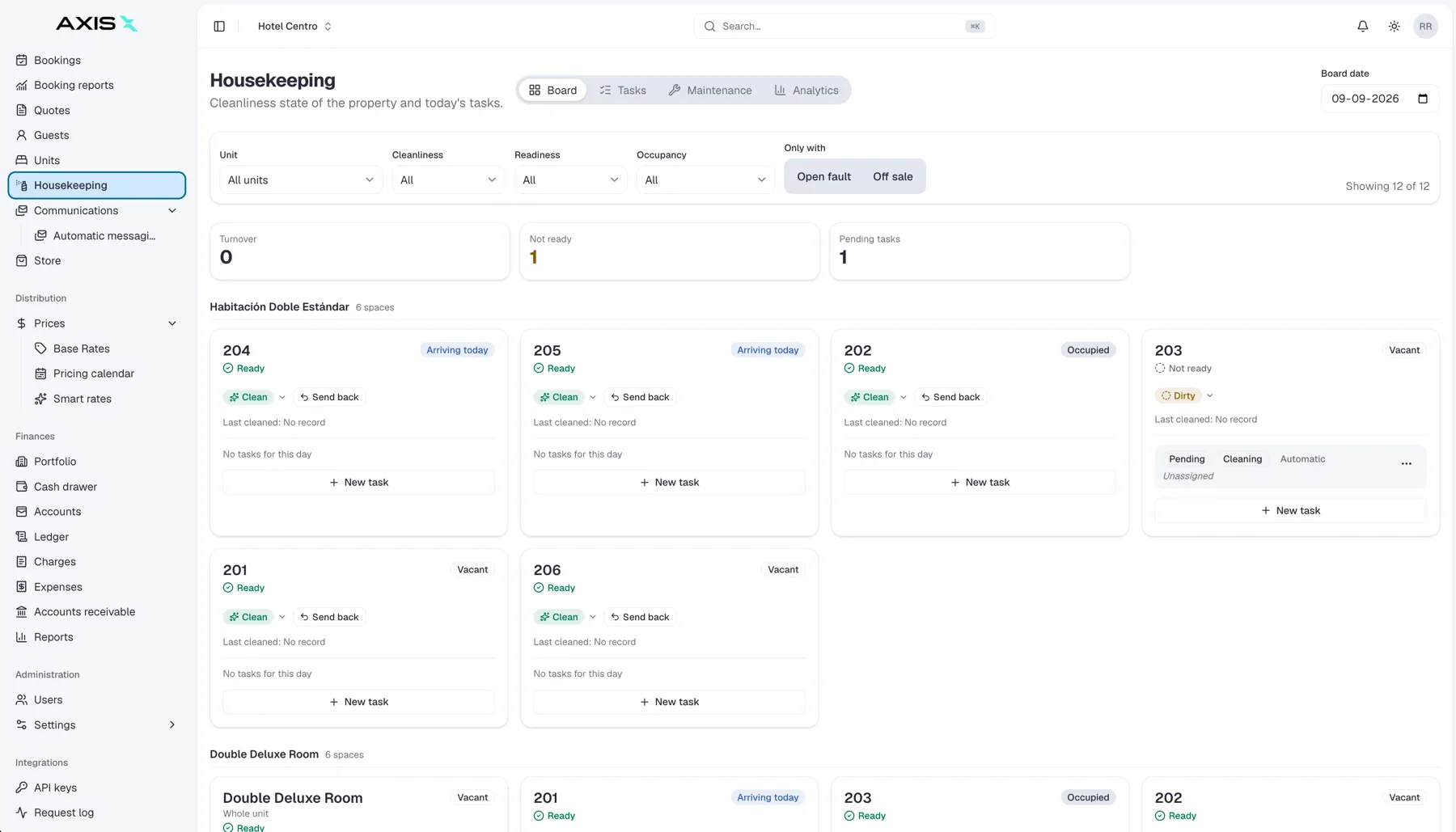
Every check-out automatically creates a cleaning task. You assign it, track it, and mark the unit ready, all from the same screen as your reservations.
Do my cleaners need to install an app?
No. Cleaners see their day on any phone, straight from the browser. Nothing to download, nothing to teach.
Can different unit types have different cleaning routines?
Yes. Set a cleaning schema per unit type, and the right tasks are created every time.
Spaces
What is Spaces?
A way to sell everything that is not a room: meeting rooms, parking spots, day passes, coworking desks, cabanas. Each one becomes a bookable unit with its own calendar, rates and availability.
Do spaces use a separate system?
No. Spaces get their own calendar and attach to any booking: same payments, same reports as your rooms. That is the point of an AI central system.
How do guests book a space?
On your website, as an add-on while booking a stay, or at any point during their stay. Bookings on your own site are commission free.
AI Co-Manager
What is the AI Co-Manager?
Your AI partner inside the system. It answers guests 24/7 in their language, follows up on pending payments, watches demand and proposes rate changes. We are rolling it out now, so details may still change.
Will the AI talk to my guests without my control?
No. You set the limits. The AI acts within them and hands anything bigger to you or your team. You even decide how it introduces itself.
What languages does the AI Co-Manager speak?
It replies in the guest’s language, including English, Spanish and Portuguese.
Your team and access
Can I add my whole team?
Yes. Users are unlimited in every plan, so everyone who needs access can have it.
Can I control what each person sees and does?
Yes. Roles and permissions are set per property, and they control who can view, edit or export each part of the system.
Security and support
Is my data secure?
Yes. Data is encrypted in transit and at rest, access is controlled by roles, backups run continuously, and every property group is isolated from every other.
Who owns my data?
You do. Your data is always yours, and you can export it whenever you want.
What support do I get?
Chat and email support are included in every plan. Larger operations on the Portfolio plan get priority support and a dedicated account manager.
What if I use a tool you do not integrate with yet?
Tell us about it. We connect with payment processors, WhatsApp, Gmail and Outlook, accounting software, smart locks and spreadsheet imports. If you need something else, let's talk. We integrate with it.
Learn it today, run it tomorrow
Guides, articles and honest answers to help you run smarter every season. And when you are ready to see it applied to your own property, we are one call away.
 Direct
 Booking.com
 Airbnb
 Expedia